
Daniel ran a small crypto tax tool for freelancers. His users held Bitcoin, Litecoin, and Dogecoin, and every morning his app had to check hundreds of addresses across three different chains. He started with three separate APIs, three sets of documentation, and three different rate limits. One of them went down during a busy week, and his users saw stale balances for two days. Then he found one API that covered all three chains with the same request format. His code got shorter, his bills got simpler, and his app stopped breaking when one chain’s explorer had a bad day. That API was the Blockchair API.
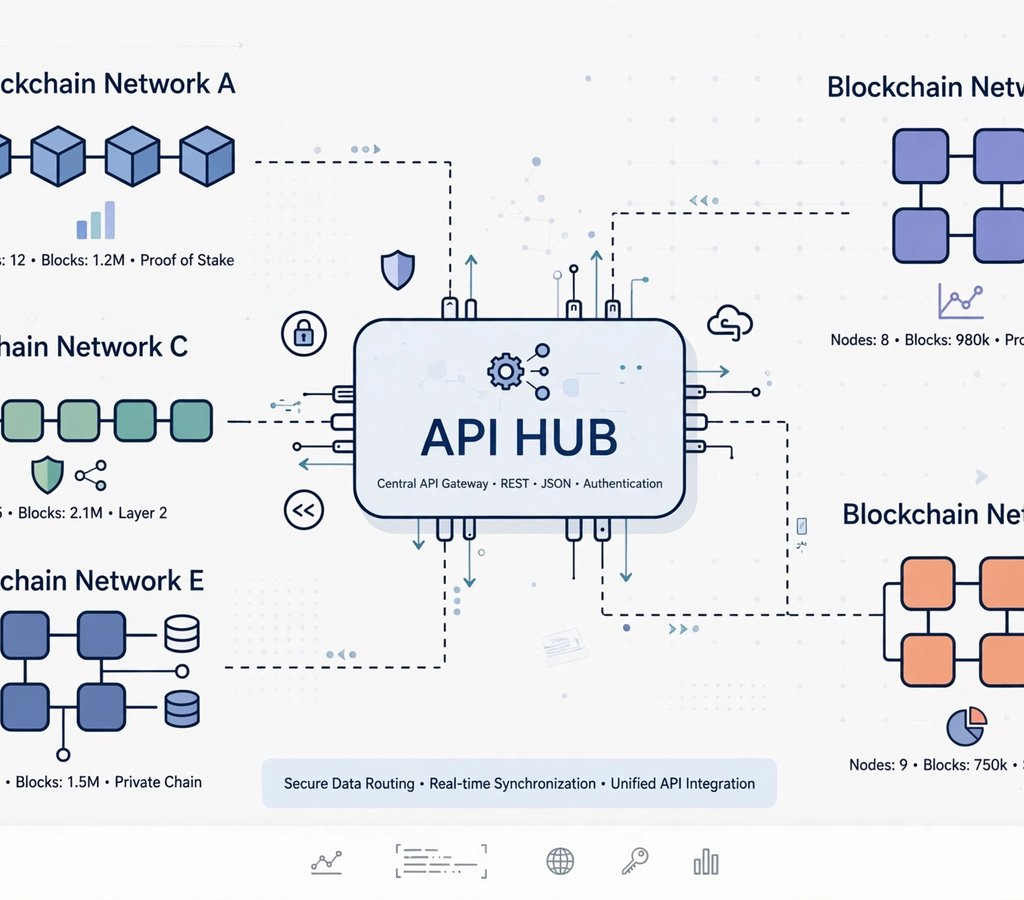
The Blockchair API is the developer-facing side of Blockchair, a multi-chain blockchain explorer. It lets you query blocks, transactions, addresses, and mempool data from many blockchains through one consistent interface. This guide explains the Blockchair API in plain language: what it does, which chains it covers, what the free tier really allows, what it costs, and how it compares with the alternatives. If you are still learning how explorers work, start with our guide to blockchain explorers — it explains how to read a transaction page before you ever write a line of code. Our plain-English guide to blockchain technology covers the blocks and chains themselves.
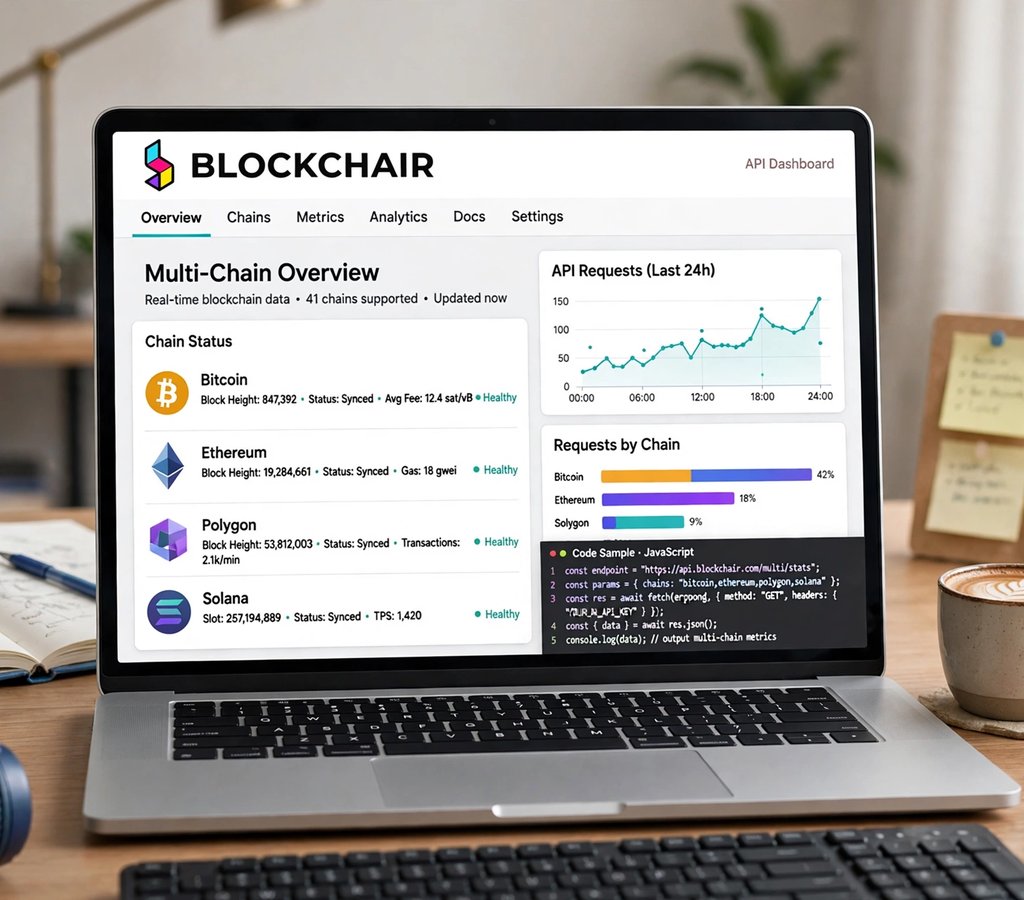
Executive Summary
- The Blockchair API is one API for many chains. You query Bitcoin, Ethereum, Litecoin, Dogecoin, and more with the same endpoint patterns.
- The explorer covers 48+ blockchains. The API covers a smaller set — around 16 mainnets plus testnets — so check your chain before you build.
- The free tier is generous but confusing. Published limits differ by page: commonly quoted as 1,000 requests per day at 30 per minute, while some documentation shows about 30 requests per day per IP without a key. Get a free key to be safe.
- Paid pricing is simple. Pay-as-you-go costs about $1 per 1,000 calls, with a $10 pack of 10,000 calls valid for one year. Monthly plans start at $25.
- Its standout feature is SQL-like filtering. The “infinitables” endpoints let you filter, sort, and aggregate on-chain data without downloading a full node.
- It is best for UTXO chains and research. For deep Ethereum smart-contract work, Etherscan or a node provider may fit better.
What Is the Blockchair API, in One Sentence?
The Blockchair API is a REST API that gives developers programmatic access to blockchain data — blocks, transactions, addresses, balances, and mempool activity — across many blockchains, through one set of endpoints.
Blockchair itself launched in 2016 as a blockchain search engine and analytics platform. Unlike single-chain explorers, it indexes dozens of chains at once and shows them through one search box. The API is the same data, delivered as JSON, so your app can read it instead of a human reading a web page. You do not run a node. You do not sync hundreds of gigabytes of chain data. You send an HTTP request and get a structured answer back.
That matters because running your own node is expensive and slow. A Bitcoin full node needs hundreds of gigabytes of disk space and days to sync. An Ethereum archive node needs far more. For a small app, a dashboard, or a research script, an API is the practical choice. The trade-off is trust: you rely on Blockchair’s servers instead of verifying the chain yourself. For most read-only uses — checking a balance, tracking a payment, building a chart — that trade-off is worth it. Our guide to how blockchain works explains what a node actually does, so you can judge when you need one and when you do not.
Which Blockchains Does the Blockchair API Support?
This is the first thing to check, because the explorer and the API do not cover the same chains. The explorer website supports 48 or more blockchains as of 2026, including Bitcoin forks, EVM chains, layer-2 rollups, and alternative layer-1 networks. The API supports a smaller set: about 16 mainnets and 2 testnets, according to Blockchair’s own support documentation.
The API chains include Bitcoin, Bitcoin Cash, Litecoin, Dogecoin, Dash, Groestlcoin, Zcash, eCash, Bitcoin SV, Ethereum, Ripple, Stellar, Monero, Cardano, Tezos, Mixin, and EOS. The explorer adds many more for manual browsing — Solana, Polkadot, BNB Chain, Polygon, Avalanche, Arbitrum, Optimism, Base, and others — but those are not all available through the API. Always check the current list at Blockchair’s supported-chains page before you commit to a design. Chain support changes, and a chain you need for browsing may not be one you can query by API.
The pattern is clear: Blockchair is strongest on UTXO chains — the Bitcoin family, where transactions are built from unspent outputs. It covers Ethereum and a handful of others well, but it is not an Ethereum-first tool. If your whole product lives on Ethereum, read our EVM explainer first, then compare the Ethereum-native options in the tools section below.
How the Blockchair API Works
The API is a standard REST API. You build a URL, send a GET request, and receive JSON. Authentication is simple: you append ?key=YOUR_API_KEY to the endpoint URL. There is no OAuth flow and no bearer token header to manage.
A typical request looks like this: https://api.blockchair.com/bitcoin/blocks returns recent Bitcoin blocks. Change “bitcoin” to “litecoin” and you get Litecoin blocks with the same structure. That consistency is the whole point. One code path serves every supported chain.
The main endpoint families are:
- Blocks: block details by height or hash, including transactions, size, and miner information.
- Transactions: transaction details, inputs, outputs, fees, and confirmation status.
- Addresses and dashboards: balances, transaction counts, and full history for an address.
- xpub: query an extended public key and discover its derived addresses, up to 250 main and 250 change addresses on the standard tier.
- Mempool: pending transactions waiting for confirmation.
- Stats: chain-level statistics such as hash rate, difficulty, and market data.
- Broadcast: push a signed raw transaction to the network.
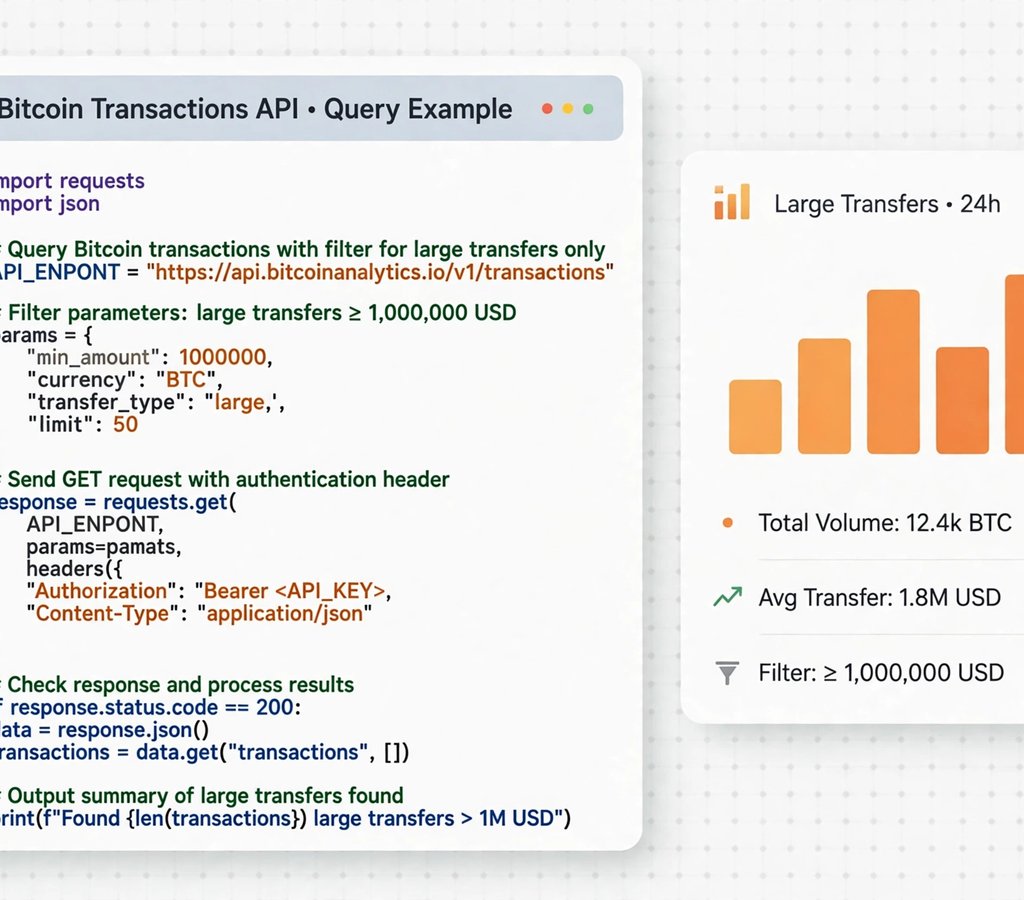
- Infinitables: SQL-like queries that filter, sort, and aggregate across a chain — for example, all Bitcoin transactions worth more than 1 BTC in the last hour.
A useful example from Blockchair’s own docs: https://api.blockchair.com/bitcoin/transactions?q=value(100000000..)&limit=10 returns the 10 most recent Bitcoin transactions worth more than 1 BTC (values are in satoshis). That single query would take a full node and custom indexing code to answer on your own.
Blockchair API Pricing and Free Tier Explained
Pricing is where Blockchair is most predictable — and where its own pages disagree enough that you should read carefully. Here is the honest picture as of late 2026, drawn from Blockchair’s own pages and independent reviews checked in October 2026, including a multi-API review that checked every figure against official documentation in October 2026 and a 2026 Blockchair review of its explorer and API coverage. Our detailed explanation of blockchain technology is useful background if the UTXO model is new to you, and our blockchain engineer guide shows who builds with APIs like this one.
| Plan | What you get | Price | Best for |
|---|---|---|---|
| Free / keyless | Testing tier, no key needed | $0 | Prototypes and small scripts |
| Pay-as-you-go | Fixed bundle of calls, valid 1 year | $1 per 1,000 calls; $10 pack = 10,000 calls | Short projects and research |
| Specialist | Monthly subscription, shared infrastructure | From $25 per month (about 1,250 calls per day) | Startups and live apps |
| Enterprise | Dedicated infrastructure, SLA, priority support | From $250 per month (about 25,000 calls per day) | Exchanges and wallets |
The free tier is the confusing part. The most commonly quoted figure is 1,000 requests per day, with a hard limit of 30 requests per minute. But some Blockchair documentation shows about 30 requests per day per IP without an API key, and one independent comparison in October 2026 noted that Blockchair’s own pages give different daily figures (1,000 or 1,440). The safe reading: without a key you are throttled by IP and the limit is low; with a free key, limits apply per account and are far more usable. Sign up, generate a free key, and test your real usage before you promise anything to users.
Request costs are also weighted. A single block request costs 1 unit. Requesting 10 blocks costs 1 + (0.1 × 9) = 1.9 units. Heavy filters and large result sets cost more. That is why the pay-as-you-go pack lasts longer than the raw call count suggests for light queries — and shorter for heavy ones. Watch the cost field in your responses during testing.
Payment is another quirk: pay-as-you-go is a fixed-price purchase, historically payable by PayPal only. Monthly plans use standard card billing. If your finance team needs invoices or a specific payment method, confirm it before you build on the paid tier. Our complete guide to crypto exchanges covers a different kind of cost — trading fees — but the same rule applies: read the pricing page, not the marketing headline.
Blockchair API vs the Alternatives
| API | Chains | Free tier | Standout feature | Weakness |
|---|---|---|---|---|
| Blockchair | ~16 via API, 48+ on explorer | ~1,000 calls/day (keyed) | SQL-like filters, UTXO depth | Smaller API chain list |
| Etherscan API | Ethereum family (61 chain IDs) | 100,000 calls/day, 3/sec | Contract verification, token data | BNB Chain, Base, OP now paid-only |
| Blockscout | Many EVM chains | Hosted chains free to query | Open source, self-hostable | Less polished than Etherscan |
| Alchemy | Many chains | Free tier for developers | Node infrastructure, webhooks | Can get expensive at scale |
| CoinGecko API | Market data, not chain data | Demo: 10,000 calls/month | Prices, market caps, history | No raw transaction data |
The right choice depends on the question you are asking. If the question is “what happened on this chain?” — a balance, a transaction, a block — Blockchair is a strong answer, especially for Bitcoin-family chains. If the question is “what does this smart contract do?” — you want Etherscan or Blockscout. If the question is “what is the price?” — you want a market-data API such as CoinGecko, not a chain-data API at all. Many real products use two or three of these together, and that is normal. A 2026 comparison of 17 explorers, checked against each explorer’s own site on 20 October 2026, reaches the same conclusion: pick the explorer by chain and by question, not by brand. And when markets move fast, context helps — our Bitcoin Fed-decision analysis and our Ethereum ETF outflow report both show the kind of weeks when developers’ dashboards get busy.
Step by Step: Your First Blockchair API Call
Step 1: Get a free API key
Sign up at Blockchair’s website and generate a key from your account page. Without a key, requests are throttled by IP. With a key, limits apply to your account, which is far more predictable.
Step 2: Pick your chain and endpoint
Start with a dashboard request for a known address, for example the Bitcoin dashboard endpoint for an address you control. It returns the balance, transaction count, and recent transactions in one response.
Step 3: Add filters with infinitables
Use the q= parameter to filter. For example, filter transactions by value, time, or address. Sort with the sort parameter and limit results with limit. Test small, then widen the query.
Step 4: Handle errors and rate limits
Respect the 30-requests-per-minute ceiling. Add a short delay between calls, cache results your app shows often, and back off when you receive a rate-limit response instead of retrying immediately.
Step 5: Check costs before you scale
Watch the cost of each request type in your logs. A dashboard call and a 10-block call do not cost the same. Multiply your expected daily calls by their unit cost before you choose a paid plan.
If you are building a wallet feature, read our blockchain wallet guide first — it explains the difference between showing a balance and holding the keys, which is a distinction your users will care about. And if you are tracking Bitcoin specifically, our Bitcoin bear-market analysis shows how on-chain data and market narrative interact.
Case Studies: The Blockchair API in Real Life
Case study 1 — the freelance tax tool. Problem: A developer’s tax app supported Bitcoin, Litecoin, and Dogecoin, but three separate APIs meant three failure points. Strategy: He moved all three chains to the Blockchair API with one request format. Execution: He used the address dashboard endpoint for balances and the infinitables endpoint for large transactions. Results: His code shrank by about a third, and a single outage no longer broke only one chain’s data. Lesson: One consistent API across chains is worth more than the best single-chain API when your users hold several coins.
Case study 2 — the donation tracker. Problem: A small charity accepted Bitcoin donations and wanted a public page showing every donation as it arrived. Strategy: It polled the Blockchair API for its donation address every few minutes. Execution: New transactions appeared on the page automatically, with amounts and confirmation counts. Results: Donors could verify their own gift without emailing the charity, and the page cost nothing to run on the free tier. Lesson: For read-only public data, a free API tier is often enough. Do not pay for infrastructure before you need it.
Case study 3 — the researcher’s whale watch. Problem: A market researcher wanted to know when large Bitcoin transfers moved to exchanges, a signal traders watch closely. Strategy: She used an infinitables query for transactions above 100 BTC, filtered to known exchange addresses. Execution: The query ran every hour and logged the results to a spreadsheet. Results: She spotted three large exchange inflows in a month, each followed by a price dip within a day — useful context, not a prediction. Lesson: The value of an API like this is in the filter. Without it, you drown in every transaction on the chain.
Case study 4 — the merchant who checked before shipping. Problem: An online seller accepted Litecoin and was burned once by a customer who sent a payment that never confirmed. Strategy: He added a Blockchair API check to his order flow: no shipment until the transaction had enough confirmations. Execution: The check ran automatically when a payment arrived. Results: Unconfirmed-payment disputes stopped, and honest customers saw their order status update within minutes. Lesson: Confirmations are the point. A payment that exists in the mempool is not yet a payment. Our blockchain mining guide explains how confirmations actually work.
Tools That Work With or Replace the Blockchair API
The tools below cover the full range: chain data, node access, and market data. Each is free to start. Pick by the question you need answered, not by brand name.
1. Blockchair API. Pros: one format across many chains, SQL-like filters, simple key auth, predictable pay-as-you-go pricing. Cons: API covers fewer chains than the explorer, Ethereum depth is thinner than Etherscan. Pricing: free tier about 1,000 calls/day; pay-as-you-go $1 per 1,000 calls; Specialist from $25/month; Enterprise from $250/month. Best for: multi-chain UTXO apps and research.
2. Etherscan API. Pros: deepest Ethereum data, contract verification, token and NFT endpoints, 100,000 free calls a day. Cons: several big chains (BNB Chain, Base, OP Mainnet, Avalanche) are now paid-only; commercial use starts at $299/month. Pricing: free for personal use; Lite $49/month. Best for: Ethereum-first products.
3. Blockscout. Pros: open source, covers many EVM chains, can self-host. Cons: hosted quality varies by chain, less hand-holding. Pricing: free to use and self-host. Best for: developers who want control.
4. Alchemy. Pros: managed nodes, webhooks, NFT and token APIs, strong docs. Cons: costs grow with usage, overkill for a simple balance check. Pricing: free tier, then usage-based paid plans. Best for: production dapps.
5. QuickNode. Pros: fast node access across chains, add-ons for streams and functions. Cons: node pricing is higher than a read-only API for simple queries. Pricing: free trial, then monthly plans. Best for: apps that need reliable node endpoints.
6. Infura. Pros: long-running, reliable Ethereum and IPFS access. Cons: narrower chain list than Alchemy or QuickNode. Pricing: free tier, then usage-based. Best for: Ethereum dapps that value stability.
7. CoinGecko API. Pros: prices, market caps, and history for thousands of coins; simple endpoints. Cons: no raw chain data. Pricing: Demo free (10,000 calls/month); paid from $35/month. Best for: price and market data — the other half of most crypto apps.
8. Mempool.space API. Pros: excellent Bitcoin mempool data, fee estimates, open source. Cons: Bitcoin-focused only. Pricing: free for basic use. Best for: Bitcoin fee estimation and mempool watching.
9. Tatum. Pros: many chains, unified API, wallet and NFT features. Cons: free tier is limited for heavy use. Pricing: free tier, then monthly plans. Best for: multi-chain apps that also need wallets.
10. Moralis. Pros: wallet, token, NFT, and price APIs in one place; good docs. Cons: pricing jumps quickly past the free tier. Pricing: free tier, then monthly plans. Best for: Web3 apps that need several data types at once.
Common Mistakes With the Blockchair API
Mistake 1: Assuming the explorer’s chain list is the API’s chain list. The explorer covers 48+ chains. The API covers around 16 mainnets. Check your chain in the API docs, not on the homepage.
Mistake 2: Building without a key. Keyless requests are throttled by IP and the limit is low. Your app will work on your laptop and break on a shared server. Get a key on day one.
Mistake 3: Ignoring request costs. Not every call costs 1 unit. A wide filter or a long list costs more. Log costs in testing or your first bill will surprise you.
Mistake 4: Polling too often. Checking an address every second wastes calls and hits the 30-per-minute ceiling. Poll every minute or two for balances, and use webhooks or a node provider if you need real-time alerts.
Mistake 5: Trusting a single source for money decisions. An API can be wrong, stale, or down. For anything involving real money, cross-check a large payment on the explorer website itself before you act. Our Bitcoin options expiry explainer shows how traders combine several data sources instead of trusting one.
Privacy Features Worth Knowing
Blockchair includes a “Privacy-o-meter” on its explorer, which scores how private a transaction is based on address reuse and output patterns. It is a teaching tool, not a guarantee — but it makes a useful point. Every address you query is public data, and anyone with your address can see your history. That is true of every explorer, and it is why our blockchain node guide explains the privacy trade-off of running your own node versus using someone else’s API. If you query customer addresses through a third-party API, you are also sharing those addresses with that provider. For most apps that is acceptable. For a privacy-focused product, it is a design decision, not an afterthought.
Frequently Asked Questions
Is the Blockchair API free?
Yes, for testing and light use. The commonly quoted free tier is about 1,000 requests per day at up to 30 per minute with a key, though some documentation shows a much lower per-IP limit without a key. Paid use starts at about $1 per 1,000 calls.
How many blockchains does the Blockchair API support?
The explorer covers 48+ blockchains, but the API covers a smaller set — around 16 mainnets plus 2 testnets, including Bitcoin, Ethereum, Litecoin, Dogecoin, Dash, Zcash, Monero, Cardano, Ripple, and Stellar. Check the current list before building.
Do I need an API key for Blockchair?
Not for a first test, but yes for real use. Without a key you are limited per IP. With a free key, limits apply to your account. Add ?key=YOUR_API_KEY to your requests.
What are Blockchair infinitables?
Infinitables are SQL-like endpoints that let you filter, sort, and aggregate blockchain data — for example, all transactions above a value, or all blocks in a time range — without downloading chain data yourself.
Can I broadcast a transaction with the Blockchair API?
Yes. The API includes a broadcast endpoint that pushes a signed raw transaction to the network. You still sign the transaction yourself; Blockchair only relays it.
Is Blockchair better than Etherscan?
For multi-chain UTXO data, yes. For Ethereum smart contracts, token data, and contract verification, Etherscan is deeper. Many developers use both.
What is the Blockchair API rate limit?
The published hard limit is 30 requests per minute. The daily free allowance is commonly quoted as 1,000 requests, though Blockchair’s own pages have shown different figures. Paid plans raise the daily limit.
Does Blockchair have a Python or JavaScript SDK?
Blockchair’s API is plain REST with JSON responses, so any language’s HTTP library works. Community wrappers exist for Python and JavaScript, but the official path is direct HTTP requests.
Can I get historical data from the Blockchair API?
Yes, for most supported chains Blockchair keeps full historical data. Ripple, Stellar, and EOS are exceptions with limited history — check the available block ranges endpoint for those chains.
Is the Blockchair API good for a production app?
For read-heavy, multi-chain apps it is a solid choice, especially on the Specialist or Enterprise plans with their higher limits and support. For real-time alerts or deep Ethereum work, pair it with a node provider or a chain-specific API.
Conclusion
The Blockchair API is not the flashiest tool in crypto, and that is its strength. It does one job well: it answers “what happened on this chain?” for many chains, in one format, at a predictable price. The free tier is enough to build and test with, the pay-as-you-go pricing means you only pay for what you use, and the SQL-like filters let a small team ask questions that once needed a full node and a database engineer.
Go in with your eyes open. Confirm your chain is in the API list, not just on the explorer. Get a free key before you write production code. Log your request costs during testing. And pair it with a market-data API for prices, because chain data alone never tells you what a coin is worth. Do those four things, and you will have a data layer that stays out of your way while your product grows. Which chain will you query first — and what question will you ask it?