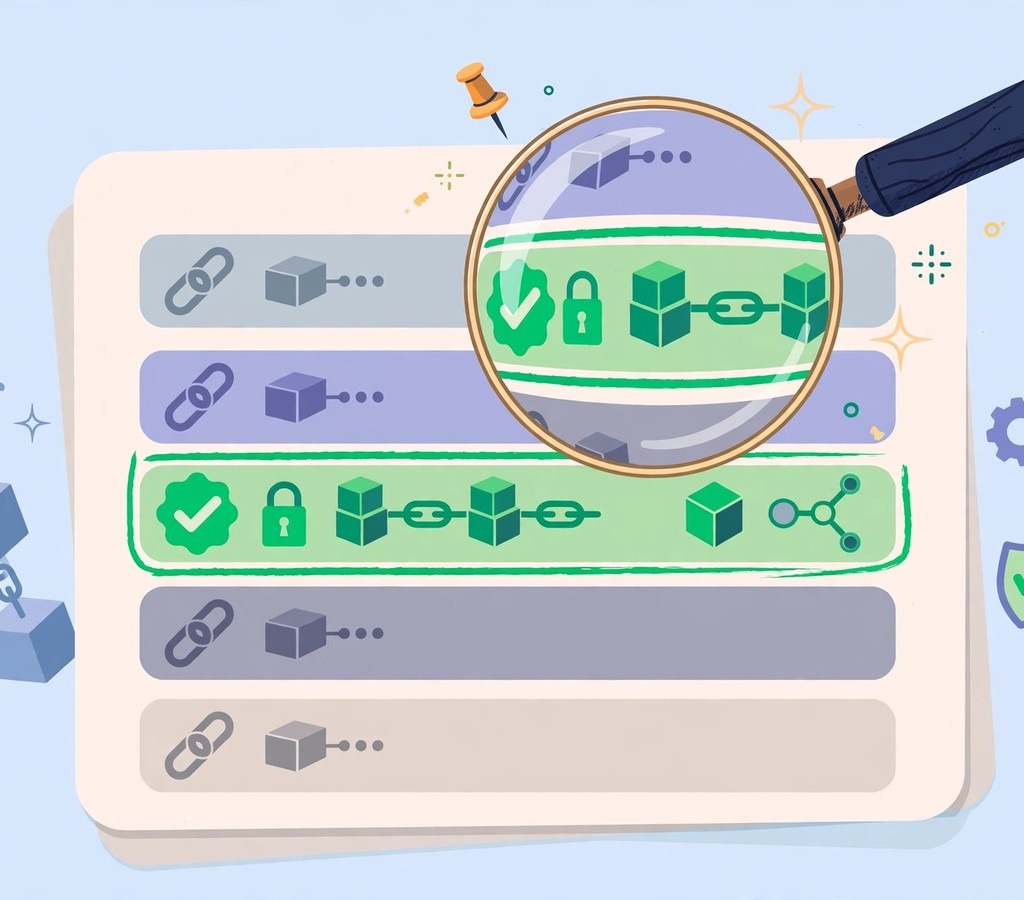

Sara sent 0.5 ETH to a friend on a Tuesday evening. The wallet said “sent”. Her friend said “not received”. For twenty minutes, both of them stared at their phones, unsure who was right. Then Sara pasted the transaction ID into a website, and the whole story appeared: the transfer had been confirmed, the fee was 0.0012 ETH, and the money was sitting in her friend’s address — his wallet app simply had not refreshed. One search ended the argument. That website was a blockchain explorer.
A blockchain explorer is a search engine for a blockchain. You type in a wallet address, a transaction hash, a block number, or a token name, and it shows you exactly what happened — publicly, permanently, and without asking you to log in. This guide explains what is a blockchain explorer, how to use one step by step, and how to read what it tells you, including the warning signs that save people from scams. If you are new to the basics first, our plain-English guide to blockchain technology explains blocks and chains from zero, and our guide to how blockchain works walks through the process in order.

Executive Summary
- A blockchain explorer is a public search tool. It reads data straight from a blockchain and displays it in a readable form.
- You can look up any transaction, address, block, or token. No account, no password, and no permission are needed.
- Every explorer belongs to one chain. Etherscan covers Ethereum, BscScan covers BNB Chain, Solscan covers Solana, and Blockchair covers many chains at once.
- The key skill is reading a transaction page. Status, confirmations, gas fee, sender, receiver, and token transfers tell you the full story.
- Explorers help you verify before you trust. Check a token contract, a payment, or a smart contract before you send money.
- Explorers do not hold your money. They only show public data. Anyone who asks you to “connect your wallet” on a fake explorer site is running a scam.
What Is a Blockchain Explorer, in One Sentence?
A blockchain explorer is a website that lets anyone search and read the public records of a blockchain. Think of it as the difference between a library and a librarian’s private notebook. The blockchain itself is the library — every transaction ever made, stored on thousands of computers. The explorer is the catalogue desk. You ask a question, and it finds the exact page.
Without an explorer, blockchain data is almost unreadable. Raw blocks are long strings of code, hashes, and hexadecimal numbers. An explorer turns that raw data into tables, labels, and readable pages. It shows you that wallet 0x7a…9f sent 2.5 ETH to wallet 0x3c…1b at 14:32, paid a small fee, and that the transaction is confirmed in block 19,842,113. Our detailed explanation of blockchain technology covers how those blocks are built and linked.
Why Blockchains Need Explorers
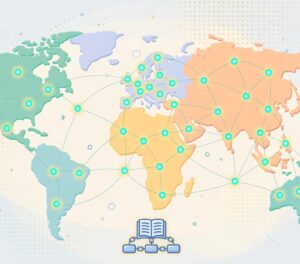
Blockchains are transparent by design, but transparency is useless if nobody can read the data. Early Bitcoin users in 2010 and 2011 had to run a full node and read raw data from a command line. The first explorers changed that. They gave ordinary people a web page where they could paste an address and see a balance, or paste a transaction ID and see whether it went through.
Today, explorers do far more than show balances. They track token prices, show smart contract code, label known wallets (such as exchange hot wallets), display NFT transfers, and warn users about suspicious contracts. They are the first place investigators, journalists, traders, and developers go when they need the truth about an on-chain event.
How a Blockchain Explorer Works
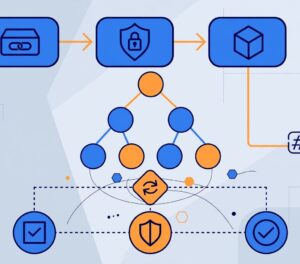
An explorer runs its own copy of the blockchain — usually a full node — and copies every block into a searchable database. When you search, you are querying that database, not the blockchain directly. That is why results appear in under a second even though the chain itself holds billions of records.
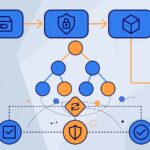
The process has four steps. First, the explorer’s node receives each new block as it is created. Second, an indexer reads the block, breaks it into transactions, addresses, and token movements, and stores them in tables. Third, the website turns those tables into pages: one page per transaction, one per address, one per block, one per token. Fourth, extra services add labels, price data, and contract information on top.
The Four Things You Can Search
| What you search | What it looks like | What you learn |
|---|---|---|
| Transaction hash (TxHash) | A long code starting with 0x | Status, sender, receiver, amount, fee, confirmations |
| Wallet address | A public address, often starting with 0x or bc1q | Balance, full transaction history, tokens held |
| Block number | A plain number, such as 19,842,113 | When the block was made, who made it, how many transactions it holds |
| Token or contract | A token name or contract address | Supply, holders, transfers, contract code |
Every search is free, and every result is public. That is the point of a public blockchain: anyone can audit anything. The trade-off is privacy. If someone knows your wallet address, they can see your entire history on an explorer. That is why experienced users keep separate wallets for separate purposes, and why our guide to blockchain wallets explains the difference between hot wallets, cold wallets, and exchange accounts.
The Main Blockchain Explorers Compared
There is no single explorer for all blockchains. Each major chain has its own, and a few multi-chain explorers cover several at once. The table below lists the ones people actually use every day. If you only remember one rule, remember this: use the explorer that matches the chain you are on. An Ethereum transaction will not appear on Solscan, and a Solana transaction will not appear on Etherscan.
| Explorer | Chain it covers | Best for | Cost |
|---|---|---|---|
| Etherscan | Ethereum | Transactions, tokens, smart contracts, gas tracker | Free |
| BscScan | BNB Chain | BEP-20 tokens, low-fee transfers, contract checks | Free |
| Solscan | Solana | Fast lookups, token accounts, staking data | Free |
| Blockchain.com Explorer | Bitcoin and others | Bitcoin transactions, simple address lookups | Free |
| Blockchair | Bitcoin, Ethereum and 17+ chains | Multi-chain searches, privacy tools, data exports | Free, paid API |
| Polygonscan | Polygon | Polygon transactions and bridging checks | Free |
| Arbiscan | Arbitrum | Layer-2 transactions, bridge deposits | Free |
| SnowTrace | Avalanche | AVAX transfers, subnet activity | Free |
Etherscan is the most copied design in crypto. Its team also built BscScan, Polygonscan, and several others, which is why those sites look and feel almost identical. That similarity is useful: once you learn to read Etherscan, you can read almost any explorer in the same family. Solscan and Blockchair have their own layouts, but the same four pieces of information — status, amount, fee, and parties — are always on the transaction page. Even privacy-focused chains have their own explorers: our Zcash NU7 activation article explains how its faster 25-second blocks appear on its explorer.
How to Use a Blockchain Explorer: Step by Step
Using an explorer takes less than a minute once you know the steps. Here is the full process, using an Ethereum transaction on Etherscan as the example. The steps are the same on every other explorer, with different names in different places.
Step 1: Find Your Transaction Hash
Every transaction has a unique ID called a transaction hash, often shortened to TxHash. Your wallet app shows it after you send funds — look for “View on explorer” or a long code starting with 0x. Copy it. If you are checking a payment someone sent you, ask them for the TxHash. Without it, you can still search by wallet address, but the hash takes you straight to the exact transaction.
Step 2: Open the Right Explorer
Go to the explorer for the chain you used. For Ethereum, that is etherscan.io. For BNB Chain, bscscan.com. For Solana, solscan.io. For Bitcoin, blockchain.com/explorer. Type the address of the site yourself or use a bookmark. Never click a link to an explorer from a random message or email, because fake explorer sites are a common scam: they look identical but steal wallet connections.
Step 3: Paste and Search
Paste the transaction hash into the search bar at the top and press Enter. The transaction page opens. If the explorer says “transaction not found”, the transaction probably has not reached the network yet, or you are on the wrong chain’s explorer. Wait a minute and check your wallet again — the hash only appears on the explorer after the transaction is broadcast.
Step 4: Read the Transaction Page
The page shows the status first. “Success” means the transaction went through. “Pending” means it is waiting in the mempool. “Failed” means it did not go through, but you may still have paid a fee. Below that, you will see the block number, the timestamp, the sender, the receiver, the amount, and the transaction fee. The number of confirmations tells you how many blocks have been added since yours — more confirmations mean the transaction is harder to reverse. On Ethereum, 12 confirmations is a common standard for high-value transfers. On Bitcoin, many services wait for 6.
Step 5: Check the Token Transfers Tab
If the transaction involved a token rather than the chain’s native coin, the main page may show a small amount of ETH or BNB and nothing else. The real movement is under the “Token Transfers” tab. That tab shows which token moved, how much, from whom, and to whom. Many beginners panic because they see “0 ETH transferred” on a token swap — the token tab is where the answer lives.
Reading a Wallet Address Page
Search any wallet address and the explorer shows its balance, its token holdings, and every transaction it has ever made, newest first. This is how people check whether an exchange actually sent their withdrawal, how researchers track large holders (often called whales), and how buyers check a seller’s history before a peer-to-peer deal.
The balance shown is the native coin balance — ETH on Ethereum, SOL on Solana, BTC on Bitcoin. Tokens are listed separately, usually in a dropdown or a second tab. Be careful with token lists: scammers send tiny amounts of fake tokens to thousands of addresses, hoping someone will try to sell them and interact with a malicious contract. If you see a token you never bought, with a name promising free money, do not touch it. Our guide to blockchain mining explains how transactions get confirmed and added to the chain in the first place.
What an Address Page Cannot Tell You
| What you can see | What you cannot see |
|---|---|
| Every transaction and balance | The real name of the owner (unless labelled) |
| Tokens held and NFTs owned | Private keys or seed phrases |
| Smart contracts the wallet used | Off-chain deals or private agreements |
| Labels on known exchange wallets | Transactions on other chains |
Labels are added by the explorer team or the community. A wallet might be labelled “Binance Hot Wallet” or “Uniswap Router”. Labels help, but they are not proof. Anyone can create a wallet; a label only means the explorer believes it knows who controls it.
How to Verify a Token Before You Buy It
This is the most valuable thing an explorer can do for an ordinary user, and it takes two minutes. Fake tokens are one of the oldest scams in crypto: a scammer copies the name and symbol of a real token, creates a new contract, and tricks buyers into purchasing a worthless copy. An explorer exposes the trick.
First, get the contract address from the project’s official website or its listing on CoinGecko or CoinMarketCap — never from a chat message. Second, paste it into the explorer. Third, check four things: the token name and symbol match the real project; the “Holders” tab shows a sensible number of holders rather than a handful; the contract is verified (a green checkmark on Etherscan means the code is published and readable); and the token has real transfer history over weeks or months, not a few hours. Fourth, check whether the contract has a “honeypot” risk — some contracts let you buy but block selling. Free tools such as Honeypot.is and GoPlus Security read the contract and flag that behaviour, and our guide to the EVM explains how smart contracts actually run on Ethereum.
A common-sense test also helps. If a token’s total supply is one quadrillion, its creator holds 90% of it, and its only holders are three wallets, walk away. Real projects distribute tokens widely and their contracts are usually verified and audited.
Gas Fees and the Gas Tracker
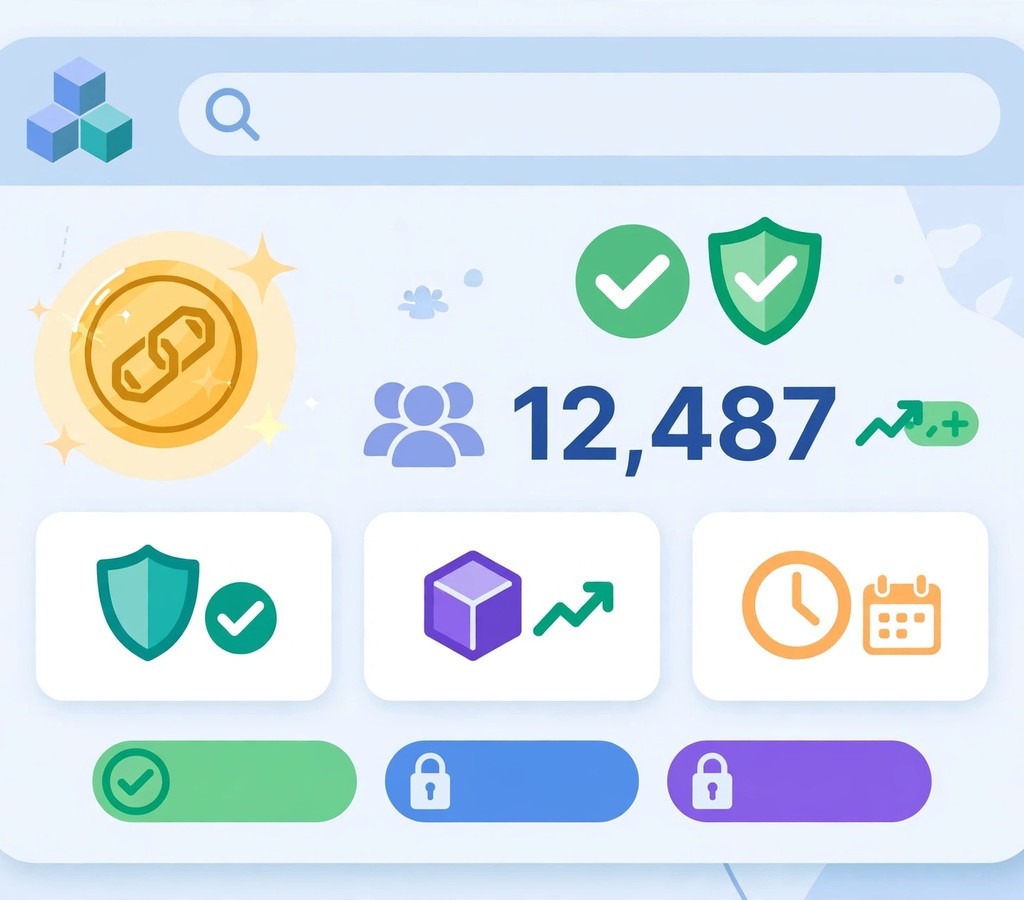
Every transaction on Ethereum and similar chains pays a fee called gas. The fee depends on how busy the network is, not on how much money you send. A $10 transfer and a $10,000 transfer can cost the same fee if they use the same amount of computing work.
Etherscan’s gas tracker shows the current price in gwei, with three speeds: low, average, and high. A low fee means a slower confirmation; a high fee means faster. The tracker also shows a chart of the last 24 hours, so you can see whether fees are rising or falling. The practical rule is simple: if your transaction is not urgent, wait for a quiet hour. Fees are usually lowest late at night or on weekends in US time, when fewer people are trading. Sending at a busy moment can cost ten times more for the same result. Fee spikes often follow big market moves, so it helps to know the context — our Bitcoin November outlook and Ethereum ETF outflow report track the kind of weeks when gas fees jump.
On Bitcoin, the fee works differently. You pay per byte of transaction data, measured in satoshis per virtual byte. The explorer shows the fee rate and the transaction size, so you can see exactly why a fee was high or low. Blockchair and mempool.space show live fee estimates for Bitcoin with clear fast, medium, and slow options.
Case Studies: Explorers in Real Life
Case Study 1: The Missing 0.5 ETH
Problem: Sara sent 0.5 ETH to a friend. Her wallet said “sent”, his wallet showed nothing, and both assumed the money was lost. Strategy: Sara copied the transaction hash from her wallet and pasted it into Etherscan. Execution: The page showed “Success”, 48 confirmations, and the exact receiving address. She compared the address character by character with her friend’s address and found they matched. Results: The transfer had worked. Her friend restarted his wallet app, the balance updated, and the argument ended. Lesson: The explorer is the source of truth. Wallet apps can lag, show stale balances, or fail to refresh. When two apps disagree, the explorer decides.
Case Study 2: The Fake Token That Looked Real
Problem: A trader in Lahore saw a token with the same name and symbol as a popular project, trading at a much lower price, and nearly bought $2,000 worth. Strategy: Before buying, he checked the contract address on Etherscan. Execution: The token page showed only 14 holders, the contract was unverified, and the token had been created six hours earlier. The real project’s token had over 200,000 holders and a verified contract. Results: He did not buy. The fake token’s price fell to zero within two days as early buyers discovered they could not sell. Lesson: Two minutes on an explorer can save thousands of dollars. Name and symbol mean nothing; the contract address is the only identity a token has.
Case Study 3: Tracking a Hack in Public
Problem: When a major exchange lost funds in a security incident, users wanted to know where the stolen money went and whether their own funds were safe. Our Binance proof-of-reserves article covers how the exchange proved its backing after the incident. Strategy: Independent researchers used explorers to follow the stolen funds address by address. Execution: They traced the funds through several wallets, watched exchanges freeze the addresses that received them, and published the trail for everyone to see. Results: The public trail helped exchanges block the stolen funds and gave users honest updates instead of rumours. Lesson: Explorers turn a private crime into a public record. Stolen crypto is hard to hide because every movement is visible to anyone with an internet connection.
Case Study 4: The Business That Proves Every Payment
Problem: A freelance designer who accepts crypto payments kept getting clients who claimed they had paid when they had not. She had already read our complete guide to crypto exchanges before choosing where to receive payments. Strategy: She started asking every client for the transaction hash and checking it on an explorer before starting work. Execution: She checked the status, the amount, the receiving address, and the confirmation count for each payment. Results: False payment claims stopped completely. Real clients were happy because the check took seconds and proved their payment instantly. Lesson: For businesses, an explorer is a free receipt system. It removes trust from the equation and replaces it with proof.
Tools That Work With Blockchain Explorers
Explorers are powerful on their own, but a small set of companion tools makes them far more useful. The tools below are the ones professionals pair with explorers every day. Each is free to start, and each solves a problem the explorer alone does not. Before spending on any token you find through an explorer, run it through the checks in our crypto evaluation framework — and if you are comparing cycles, our history of crypto cycles shows why “dead” headlines usually arrive at the worst time to sell. For the official background on how explorers read chain data, the Ethereum developer docs on block explorers explain the indexer model in detail.
| Tool | What it does | Pros | Cons | Pricing | Best for |
|---|---|---|---|---|---|
| Etherscan | Ethereum explorer with contract verification and gas tracker | Deepest Ethereum data, verified contracts, free API | Ethereum only | Free, Pro API from about $199/month | All Ethereum checks |
| BscScan | BNB Chain explorer in the Etherscan family | Same layout as Etherscan, fast lookups | BNB Chain only | Free | BNB Chain tokens |
| Solscan | Solana explorer with token and staking views | Clear Solana token accounts, fast | Smaller label database than Etherscan | Free, Pro from about $20/month | Solana checks |
| Blockchair | Multi-chain explorer and data API | 18+ chains in one place, privacy search | Interface is busier than Etherscan | Free, API plans from about $19/month | Cross-chain research |
| Blockchain.com Explorer | Bitcoin explorer with simple charts | Very simple, good for beginners | Less detail than Blockchair | Free | Quick Bitcoin lookups |
| mempool.space | Bitcoin mempool and fee estimator | Best live fee estimates, beautiful charts | Bitcoin only | Free, paid tiers available | Bitcoin fee timing |
| Arkham Intelligence | Wallet labelling and entity tracking | Identifies exchanges, funds, and whales | Some features need an account | Free basic, paid tiers | Following big wallets |
| GoPlus Security | Token and contract risk scanner | Flags honeypots and risky contracts fast | Not a substitute for an audit | Free | Pre-purchase token checks |
| Honeypot.is | Checks whether a token can be sold | Simple yes-or-no answer | Ethereum and BNB Chain focus | Free | Quick scam screening |
| DeBank | Portfolio tracker across chains | Shows all wallets and DeFi positions in one view | Needs your address, not your keys | Free | Tracking your own holdings |
| Token Sniffer | Automated token risk scoring | Fast scan of new tokens | Scores are automated, not audited | Free | New token screening |
| Chainalysis Reactor | Professional investigation platform | Used by exchanges and law enforcement | Enterprise pricing, not for casual users | Enterprise | Professional investigations |
Common Mistakes When Using an Explorer
Mistake 1: Checking the wrong chain. Sending USDT on BNB Chain and searching on Etherscan will show nothing. The transaction exists — just on the other chain. Always confirm which network your wallet used before you search.
Mistake 2: Confusing “pending” with “lost”. A pending transaction is waiting in the mempool, usually because the fee was too low. It is not lost. It will either confirm when fees drop or eventually be dropped from the mempool, returning the funds. Raising the fee through your wallet’s “speed up” option is the normal fix.
Mistake 3: Trusting a token’s name instead of its contract. Anyone can create a token called “Ethereum” or “Bitcoin”. The name is free text. The contract address is the identity. Always verify the address against the project’s official site or a listing on CoinGecko or CoinMarketCap.
Mistake 4: Connecting your wallet to a fake explorer. A real explorer never needs your wallet connected to show you public data. If a site that looks like Etherscan asks you to connect a wallet or approve a transaction, close it. It is a phishing copy.
Mistake 5: Reading the wrong number as the amount. On a token swap, the main page shows the network fee coin, not the token amount. The token tab shows the real transfer. Beginners often read the small ETH figure and think their swap failed. Check the token transfers tab first.
Mistake 6: Assuming a labelled wallet is safe. Labels help, but they can be wrong or outdated, and scammers sometimes label their own wallets with trusted names on social media. The explorer’s own labels are more reliable than a screenshot someone sends you.
Blockchain Explorers and Privacy
Explorers make blockchains transparent, and transparency has a cost. Your wallet address is a public identity. Anyone who knows it can see your balance and your history. That is not a bug — it is how public blockchains work. But you can manage it.
Use a fresh address for each purpose: one for trading, one for receiving payments, one for long-term holding. Never post your main wallet address publicly if you can avoid it. Understand that privacy coins and mixing services exist, but they carry legal and practical risks in many countries, and they do not make transactions invisible — they only make them harder to follow. The honest rule is this: assume everything you do on a public chain can be seen, and act accordingly.
Frequently Asked Questions
Is a blockchain explorer free to use?
Yes. Searching transactions, addresses, blocks, and tokens is free on every major explorer. Some offer paid API plans for developers who need thousands of automatic queries, but ordinary users never need to pay.
Do I need an account to use Etherscan?
No. You can search without an account. An optional free account lets you save watchlists and set alerts, so you get an email when a watched wallet moves funds.
Can a blockchain explorer show who owns a wallet?
Only if the owner is publicly known or the explorer has labelled the wallet, such as an exchange hot wallet. By default, a wallet is just an address. There is no name attached to it on the chain.
Why does my transaction say “pending” for so long?
Usually because the fee was too low for current network demand. Miners and validators pick the highest-fee transactions first. Your transaction will confirm when demand falls, or you can speed it up from your wallet by raising the fee.
What does “confirmations” mean?
Each confirmation is one block added after the block containing your transaction. More confirmations mean the transaction is buried deeper in the chain and harder to reverse. Exchanges often wait for 6 confirmations on Bitcoin and 12 on Ethereum before crediting a deposit.
Can I cancel a transaction after sending it?
Once a transaction is confirmed, it cannot be cancelled or reversed. While it is still pending, some wallets let you replace it with a new transaction using the same nonce and a higher fee. That is the only window for changing your mind.
How do I find my own wallet address on an explorer?
Copy your public address from your wallet app — never your private key or seed phrase — and paste it into the explorer’s search bar. The address page shows your balance and full history.
What is the difference between Etherscan and Ethplorer?
Etherscan is the main Ethereum explorer with contract verification, a gas tracker, and token pages. Ethplorer is a simpler tool focused on token balances and histories. Most users start with Etherscan because it covers everything in one place.
Are blockchain explorers safe?
Real explorers are safe to browse because they only display public data. The danger is fake copies. Always type the address yourself, check for the padlock in your browser, and never connect a wallet to an explorer — a real one never asks.
Can an explorer track Bitcoin and Ethereum at the same time?
Some can. Blockchair covers Bitcoin, Ethereum, and more than 15 other chains in one search box. Single-chain explorers such as Etherscan and Blockchain.com Explorer cover only their own chain.
Conclusion
A blockchain explorer turns a blockchain from a mystery into an open book. It shows you whether a payment arrived, what fee you paid, who holds a token, and whether a contract is safe to touch. The skill is small — paste, search, read — but the protection it gives is large. Two minutes of checking before a purchase has saved people thousands of dollars, and a single search has settled more payment arguments than any customer support team ever will.
Start today. Take one transaction from your own wallet, paste its hash into the right explorer, and read every line of the page. Then check a token contract before your next trade. Once you can read the chain for yourself, you stop depending on screenshots, promises, and rumours — and in crypto, that independence is worth more than any single trade. Which transaction will you verify first?